Free Birthday Photo Booth Online | Custom Party Strips
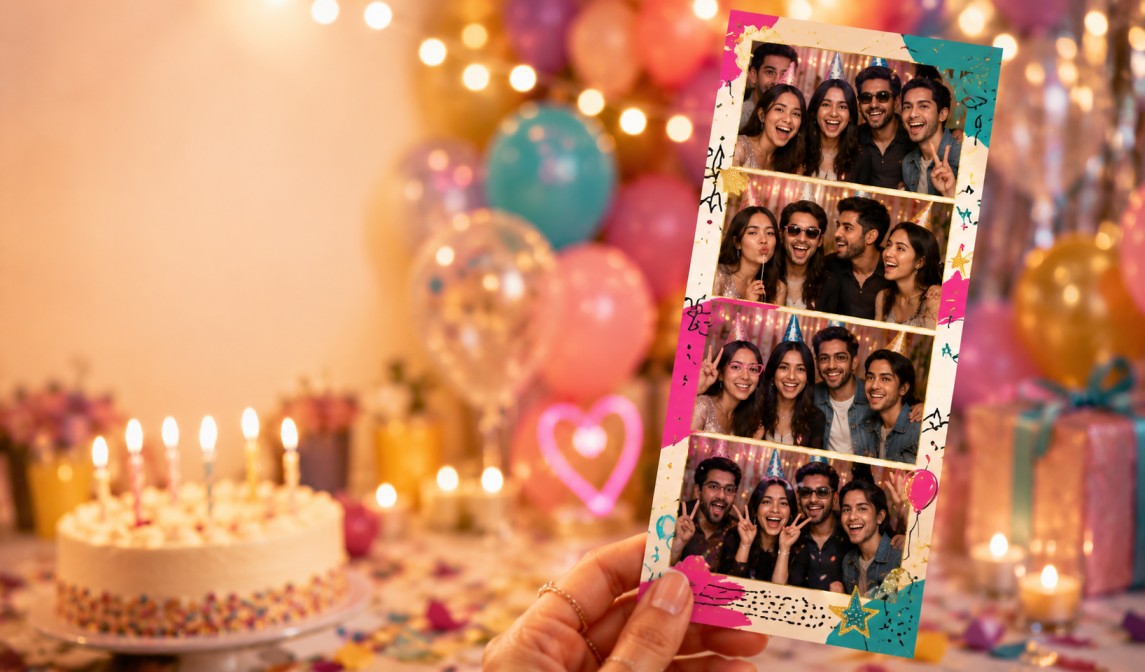
Design a photo booth for your birthday party in minutes — kids' parties, milestone 30th/40th/50ths, or a backyard bash. Guests scan a QR code and take unlimited photo strips on their own phone. No rental, no app, no signup.
Why a free online photo booth beats renting one for a birthday
Photo booth rentals for a birthday party can cost $200–$800+ for just a few hours, which is a lot for a kids' party or a casual milestone celebration. A free online photo booth gives you the same custom-framed photo strips your guests will actually keep, without a rental fee, a delivery window, or an attendant to schedule around.
Because every guest opens the booth on their own phone, there's no single kiosk with a line of kids waiting their turn — everyone at the party, from any age, can take photos at the same time.
How it works
1. Design your strip. Pick a 2-shot or 4-shot layout and customize the frame color, texture, and filters to match your party theme.
2. Add the birthday details. Stamp on the birthday person's name, their age, or a milestone number like "30" or "Over the Hill."
3. Share your QR code. Print it onto a party favor table sign, invitations, or a backdrop — no account needed.
4. Guests scan, shoot, and download. Anyone scans the code with their phone camera, takes their strip in the browser, and saves it instantly.
Theme ideas for every kind of birthday
• Superhero, princess, or cartoon character frames for kids' parties
• Bold "30," "40," "50," or "Over the Hill" milestone frames for adult birthdays
• Glitter, confetti, and balloon-style borders for a classic party look
• A color palette matching your party décor or invitations
• The birthday person's name and date stamped on every strip
Where to set it up
Most hosts place the QR code at the party favor or gift table, on the invitations so guests can preview it before arriving, near a themed backdrop or balloon arch, or on printed table signs for a milestone dinner party. It works just as well outdoors at a backyard party as it does at an indoor venue, since there's no equipment to set up beyond the sign itself.
A party favor guests actually keep
Instead of (or alongside) loot bags, a lot of hosts now let guests take home a printed or downloaded photo strip as their favor. Kids and adults alike tend to hold onto a fun photo far longer than a bag of small toys or candy — and there's zero extra cost per guest.
Free online booth vs. a rented photo booth
Frequently asked questions
Is the birthday photo booth really free?
Yes. Designing your strip, sharing it with guests, and downloading photos is completely free, with no signup, watermark, or per-guest fee.
Is it safe for kids to use?
Photos are captured and processed in the browser on whichever device is used (often a parent's phone) and are never uploaded to or stored on our servers, so there's nothing collected about your child.
Does it work for both kids' parties and adult milestone birthdays?
Yes. You choose the frame, colors, and text, so the same tool works for a superhero-themed 6th birthday or an elegant black-and-gold 50th.
Can we add the birthday person's name or age to the strip?
Yes. You can stamp on a name, age, milestone number, or date before generating your shareable link and QR code.
How many guests can use it at once?
Unlimited. Since everyone opens the booth on their own device, there's no queue or single kiosk to wait for.
Can guests print their photo strips as a party favor?
Guests can download a high-resolution copy to their phone and print it themselves, or you can set up a small printer at the party for instant favors.
Does it need Wi-Fi to work?
Guests need a brief connection to load the booth the first time, but taking and saving photos afterward works fine even on a weak signal since nothing uploads to a server.
Related pages
• Create a free photo booth — the full tool for any event
• Step-by-step guide to building your own photo booth online
• Browse photo booth themes for more frame and style ideas
• Planning a wedding instead? See our wedding photo booth page